

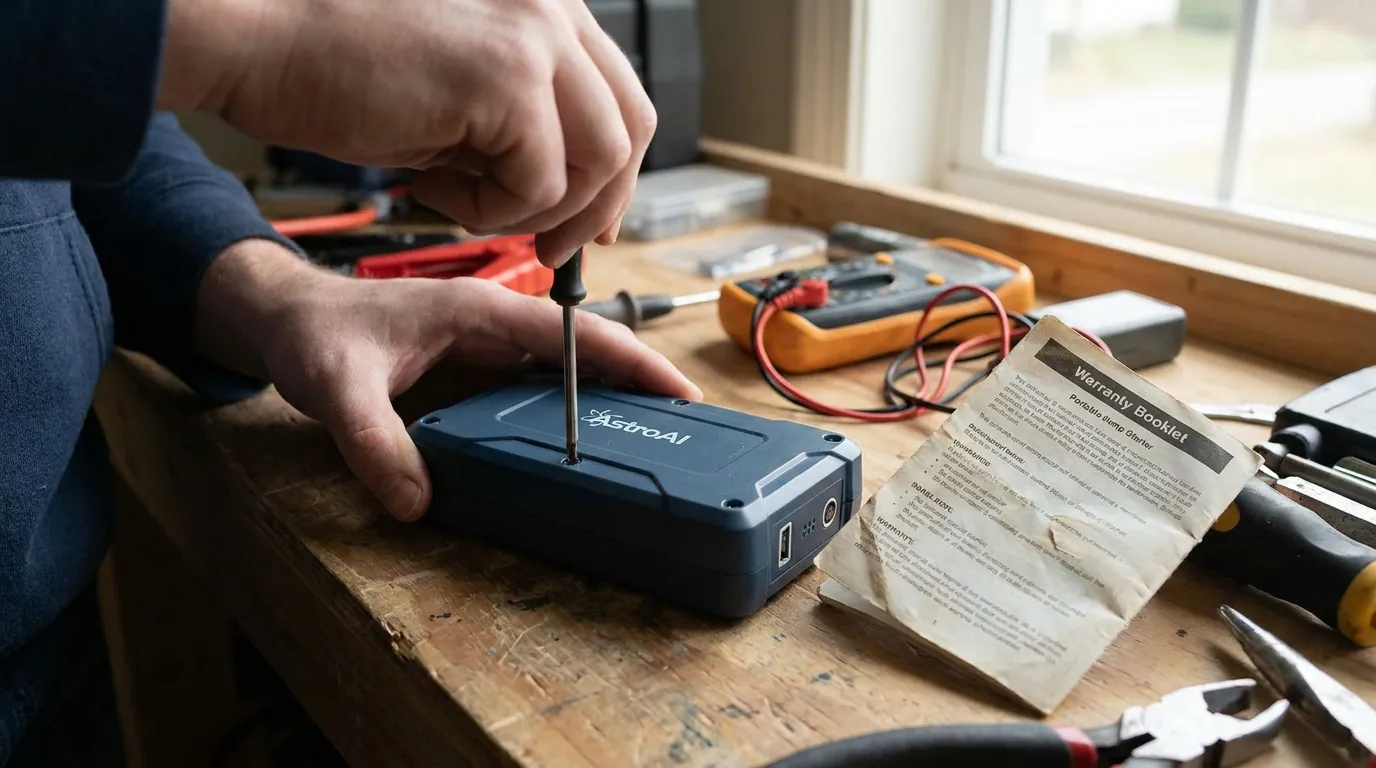
In most cases, you should assume yes, it can put your warranty coverage at risk. AstroAI’s S8 jump starter manual says “Do not modify or disassemble the jump starter” and adds that repair work should only be done by professional technicians. The same manual also says the 2-Year Limited Warranty does not cover damage caused by neglect, misuse, contamination, alteration, accident, or abnormal conditions of operation or handling. Another AstroAI jump starter manual uses nearly the same warranty language. Taken together, that means opening the case, removing screws, or attempting a DIY repair can create a real chance that AstroAI treats the unit as altered or improperly handled, especially if there is visible damage or evidence of tampering.
That does not mean every imaginable scenario is spelled out word for word. The manuals do not explicitly say, “removing one screw automatically voids the warranty.” But they do clearly prohibit modifying or disassembling the product, and they clearly exclude damage tied to alteration and abnormal handling. So if your real question is whether it is smart to open an AstroAI jump starter, the safest answer is no. Contact AstroAI customer support first and let them tell you how they want the issue handled.
What the AstroAI manuals actually say
The strongest evidence comes from the AstroAI S8 Car Jump Starter User Manual. In its warning section, the manual tells users: do not modify or disassemble the jump starter, and says repair work should only be performed by professional technicians. In the same manual’s warranty section, AstroAI says the product will be free from defects in material and craft, but the warranty does not cover damage from neglect, misuse, contamination, alteration, accident, or abnormal conditions of operation or handling. It also says the warranty covers the original purchaser only and is not transferable.
A second AstroAI manual for a jump starter with air compressor repeats the same basic pattern. Its warranty page states a 2-Year Limited Warranty, says the product will be free from defects in material and workmanship, and excludes damage from neglect, misuse, contamination, alteration, accident, or abnormal conditions of operation or handling. It also says coverage applies only to the original purchaser and is not transferable. That matters because it shows the wording is not a one-off phrase in one manual; it appears to be part of AstroAI’s broader warranty approach for these kinds of products.
So from an SEO and user-intent perspective, the key terms are clear: AstroAI warranty, 2-year limited warranty, original purchaser, alteration, misuse, modify, disassemble, and after-sales support. Those are the words that most directly answer the question behind searches like “does opening an AstroAI jump starter void the warranty” and “does removing screws from an AstroAI jump starter void the warranty.”
Does “unscrewing” count as alteration?
This is where users get stuck. Many people are not trying to “modify” the device in the everyday sense. They may only want to inspect it, check the battery pack, see whether a wire came loose, or find out why the unit will not charge. But warranty language usually does not turn on your intent alone. It turns on whether the manufacturer sees the product as disassembled, tampered with, altered, or damaged through handling outside the approved instructions. AstroAI’s manuals do not create a separate safe category for “opened for inspection only.”
That is why unscrewing the case is risky even if you think you are being careful. Once the shell is opened, AstroAI could reasonably view that as disassembly or as part of an unauthorized repair attempt. If anything inside is disturbed, scratched, bent, broken, contaminated, or reassembled incorrectly, the company would have a stronger basis to say the failure was linked to alteration, misuse, or abnormal handling rather than a factory defect. That is not speculation pulled from nowhere; it is the practical reading of the manual language AstroAI chose to publish.
So if you are searching “can I open my AstroAI jump pack without voiding warranty”, the most accurate answer is: there is no clear safe permission in the manuals for doing that. The manuals point users toward support and away from self-disassembly.
When AstroAI is most likely to deny a warranty claim
A warranty claim is most vulnerable when there are visible signs that the failure may not be a simple defect in material or workmanship. If the housing has pry marks, stripped screws, broken clips, missing fasteners, torn labels, cracked plastic, or evidence of internal tampering, the manufacturer has a strong reason to question whether the issue came from user-caused damage rather than a covered defect. The manuals’ exclusion language gives AstroAI room to deny claims tied to alteration, misuse, contamination, or abnormal handling.
Claims can also become weaker if the unit was exposed to the kinds of conditions the manual warns against. The S8 manual says not to soak the jump starter in water or expose it to rain, not to operate it around flammable liquid, gas, or dust, and not to use it on non-12V vehicles such as airplanes or other 24V vehicles/boats. It also warns against continuous jump-start attempts and says to allow a 30-second interval between jump starts to avoid overheating, and to remove the unit from the battery within 30 seconds after jumpstarting. If the product fails after being used outside those instructions, a warranty claim becomes harder to defend.
In plain English, AstroAI is most likely to push back when the facts look like DIY repair, misuse, seal broken warranty, opened device warranty claim, or any other scenario where the product no longer appears to be in the same condition it was in when sold. That is exactly why contact AstroAI before opening the device is such an important gap keyword and such sensible real-world advice.
Safer steps to take before opening the jump starter
Before you even think about removing screws, work through the basic checks AstroAI already gives you. Start with the battery level indicator. The S8 manual says for best jump performance the battery level should exceed 75%. If the unit is low, fully charge it first. The manual says charging is done with the included USB-A to USB-C charging cable, using a USB power source such as 5 V wall chargers, and notes a full charge takes approximately 3 hours for 10 W.
Next, check the obvious connection points. AstroAI says the battery terminals should be clean, the smart battery clamps should be undamaged, and a dirty connection can reduce performance. In the troubleshooting section, the S8 manual specifically says failed jumpstarts can be caused by rust or dirt on battery terminals, poor clamp connection, insufficient power level, overheating protection, or clamps attached to the wrong terminals. For charging problems, AstroAI says to verify the cable is connected correctly, make sure the outlet is powered, and let the unit cool down if overheating protection has activated.
If your unit still will not work, stop there and reach out for after-sales support. The S8 manual gives support@astroai.com for questions or concerns and says to contact AstroAI for after-sales support in its troubleshooting section. That is the smart move because it preserves your position if you later need to make a warranty claim.
Troubleshooting the problems that make people want to unscrew the case
Most people do not search “does unscrewing a jump pack from astroai void the warranty” out of curiosity. They search it because the jump starter seems broken. The device may show failure to power on, failure to charge, poor output, or trouble jumpstarting a vehicle. AstroAI’s own troubleshooting guidance covers several of those issues without telling users to open the case.
For a failed jumpstart, the S8 manual says to check whether the battery level is above 75%, clean away rust or dirt on the battery terminals, let the unit cool if overheating protection has activated, make sure the clamps are on the correct terminals, and ensure there is a secure connection between the clamps and the battery. It also notes that the vehicle may not start for reasons unrelated to battery power and advises using proper equipment to check the battery or the vehicle’s error code. The air-compressor model manual gives similar troubleshooting advice, including after-sales support if the problem continues.
The S8 manual also explains the indicator light of the battery clamps. A green light means the clamps are connected correctly. A flashing green light means low car battery voltage and tells you to press the Boost Button and start the car within 30 seconds once the indicator turns green. A red light indicates reversed polarities. No light may suggest the vehicle battery is damaged or that AstroAI should be contacted for further assistance. Those are exactly the kinds of operational details to check before even considering disassembly.
The other manual adds useful clues for heat-related issues. Its troubleshooting page says the unit can shut down for a few minutes if it overheats, and its error-code page shows E03 for battery cell temperature too high or too low during charging and E04 for an overheated battery cell during charging. In both cases, the solution is effectively to let the temperature return to normal. That is another sign that a device that seems dead may simply be in a protection state rather than physically broken.
Can you replace the battery or repair the jump pack yourself?
From the manuals, AstroAI does not present this as a user-serviceable product. The S8 manual says not to modify or disassemble the jump starter and says repair should be performed only by professional technicians. It also notes that if the jump starter is hit or damaged, a qualified battery technician will need to test it. That is very different from a product manual that gives a battery replacement procedure.
That matters because some users think a battery replacement warranty issue is separate from general disassembly. In practice, opening a lithium jump starter to replace cells, inspect wiring, or attempt a board-level fix is exactly the sort of activity most likely to be seen as DIY repair, self-repair warranty risk, or third-party repair risk. The S8 specifications state the unit uses four built-in 3.7 V lithium batteries in series, with a battery pack capacity of 2500 mAh (14.8 V), equivalent to 10000 mAh (3.7 V). Those are not casual household components, and the manual does not invite users to service them themselves.
So if your goal is to save money with a quick fix, remember the tradeoff: you may end up losing any chance of warranty help on a product that still could have qualified as defective.
How to protect your warranty claim
If you think your AstroAI jump starter has a genuine defect, treat the warranty process carefully. First, keep your proof of purchase. The manuals say the warranty covers the original purchaser only and is not transferable, so purchase history matters. Second, document the problem before you touch anything. Take photos of the exterior, the charging port, the clamps, the battery indicator behavior, and any error messages or symptoms. Third, contact AstroAI customer support before opening the device.
When you contact support, describe the symptoms in the language AstroAI itself uses: failure to power on, failure to charge, overheating protection, low car battery voltage, poor connection, or reversed polarities, depending on what you are seeing. That helps frame the issue as normal troubleshooting rather than unauthorized repair. It also gives you a better shot at getting clear instructions, whether that ends in a troubleshooting step, a return, or an RMA process if AstroAI offers one through support.
Quick answer table: low-risk vs high-risk actions
Here is the plain-English version many users actually want:
| Action | Warranty risk | Why |
| Charge the unit with the included cable and approved USB power source | Low | This follows the manual’s normal charging procedure. |
| Clean dirty battery terminals on the vehicle before jumpstarting | Low | AstroAI specifically says dirty terminals can reduce performance. |
| Check clamp polarity, cable connection, and battery level | Low | All are part of normal troubleshooting in the manuals. |
| Let the unit cool if overheating protection activates | Low | Both manuals describe cooldown-related recovery. |
| Contact AstroAI before doing anything invasive | Low | This preserves your claim position and matches the support guidance. |
| Remove screws “just to inspect it” | Medium to high | The manuals prohibit disassembly and exclude alteration-related damage. |
| Open the shell or disconnect internal parts | High | This strongly looks like disassembly or unauthorized repair. |
| Replace the battery or attempt self-repair | High | The manuals direct repair to professional technicians, not users. |
A practical example
Imagine your AstroAI S8 will not hold a charge. You plug in the USB-A to USB-C charging cable, but nothing seems to happen. You are tempted to unscrew the case to see whether the battery pack connector came loose. Based on the manuals, the better path is to check whether the outlet is powered, verify the cable connection, allow the unit to cool if it may have overheated, confirm the battery indicators, and then contact support. If you open the shell first and later ask for warranty help, AstroAI could point to the no-disassembly warning and the exclusion for alteration or abnormal handling.
That example shows why the phrase “void warranty if opened” matters so much in search. The manuals do not use that exact consumer phrase, but their rules lead users in that direction.
Final Words
If you are asking “does unscrewing a jump pack from astroai void the warranty,” the safest and most accurate answer is this: it can very easily jeopardize your warranty coverage, and you should act as though opening the case is a high-risk move. AstroAI’s manuals say do not modify or disassemble the jump starter, say repairs should be handled by professional technicians, and exclude damage tied to misuse, contamination, alteration, accident, or abnormal conditions of operation or handling. That combination makes DIY opening, battery replacement, or self-repair a bad idea if preserving your warranty matters.
The best move is simple: troubleshoot externally, document the symptoms, keep your proof of purchase, and contact AstroAI before opening anything. That approach protects both your device and your claim.
Disclaimer: This information is provided for general knowledge only. Warranty terms may vary by product, region, and manufacturer policies. Always refer to the official AstroAI user manual or contact AstroAI customer support for the most accurate and up-to-date warranty guidance before taking any action on the device.